Prospective Canadian immigrants (Express Entry, study permit, work permit, visitor visa, sponsorship applicants) and immigration consultants who need reliable document lists.
How it works
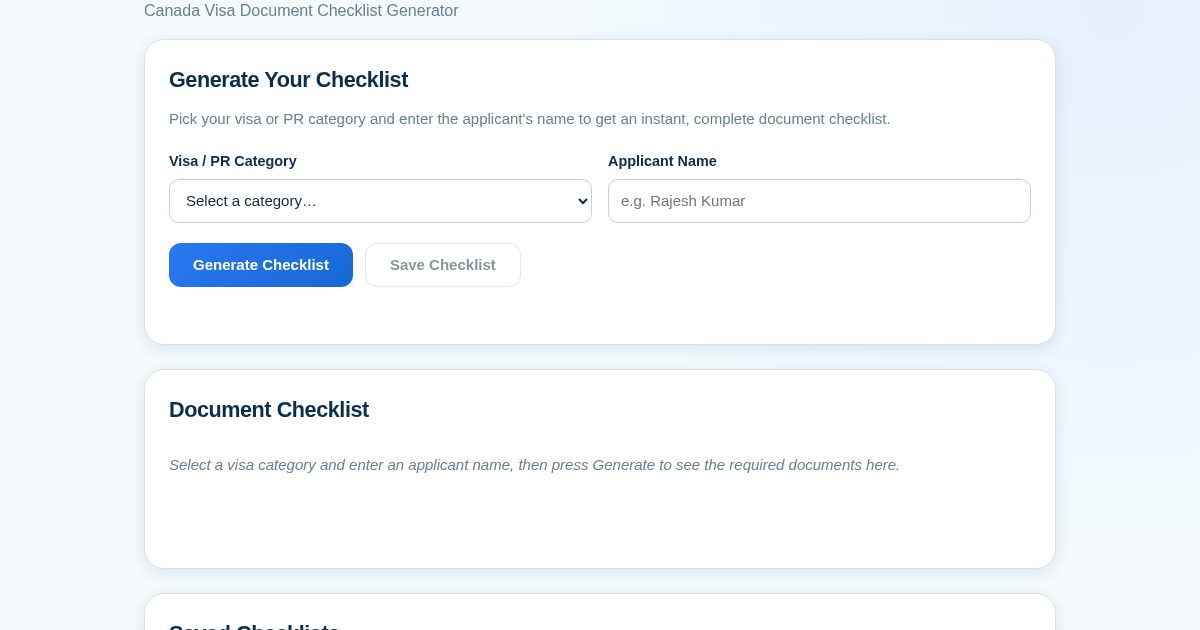
- Select your visa or PR category from the dropdown menu.
- Enter the applicant name and click Generate to see the category-specific document checklist.
- Tick off each document as you gather it; the completion status is tracked per checklist.
- Save the checklist with a name and category, then search your history by applicant name or category.
What you gain
- Instant tailored checklist for your visa category
- Track gathered documents with checkboxes
- Save checklists for later reference
- Search saved checklists by name or category
- No login required — just use and go
Screenshot
Technical details
Standard50.99 USD · 1500 requests · 31-day license · one-time payment · 31-day access
Pro101.98 USD · 6000 requests · 31-day license · one-time payment · 31-day access
Isolationdedicated instance per license
Usage meteringLLM usage metered per license
Accessweb sign-in with license key
How to set up & use
- Buy the license — your key (lic_...) appears on the order page and in your email.
- Sign in at app.synoriaai.com with your license key.
- No installation — the product runs in your browser, on your own isolated instance.
- Select your visa or PR category from the dropdown
- Enter the applicant's name
- Click Generate to see the full document checklist
- Check off each document as you gather it
- Click Save to keep the checklist in your history for later
Frequently asked questions
Does this submit my application to IRCC?
No. This tool only generates a checklist to help you prepare. You still submit your application through the official IRCC channels.
Is my saved checklist data private?
Your checklists are stored only on this app's server and are not shared with any third party.
How current is the document list?
The checklist reflects common IRCC document requirements per category, but you should always confirm the latest requirements on the official IRCC website before submitting.
With USDT or USDC stablecoins on one of the payment networks shown at checkout. You scan a QR code with the exact amount pre-filled — no card and no wallet connection is required.
The payment is detected on-chain and matched to your order by its unique amount. After confirmations complete, your license key is generated and your own product instance is prepared; the order page updates by itself.
No. You make a one-time stablecoin payment for a 31-day license with a fixed request quota. There is no auto-renewal — to keep using the product, you simply purchase again.
Each plan includes a fixed number of requests for the license period. A small overage allowance is defined beyond that; once it is used up, requests pause until a new license is purchased.
Yes. Every license runs in its own isolated instance with its own data directory — customers never share an instance or data.
On-chain payments are never lost. Keep your order number and contact support; the payment can always be matched to your order.
Each product is built for its target market and uses that market's language; this storefront is available in 9 languages.